
Cloud POS Software Explained: 6 Limits and Who It Best Suits
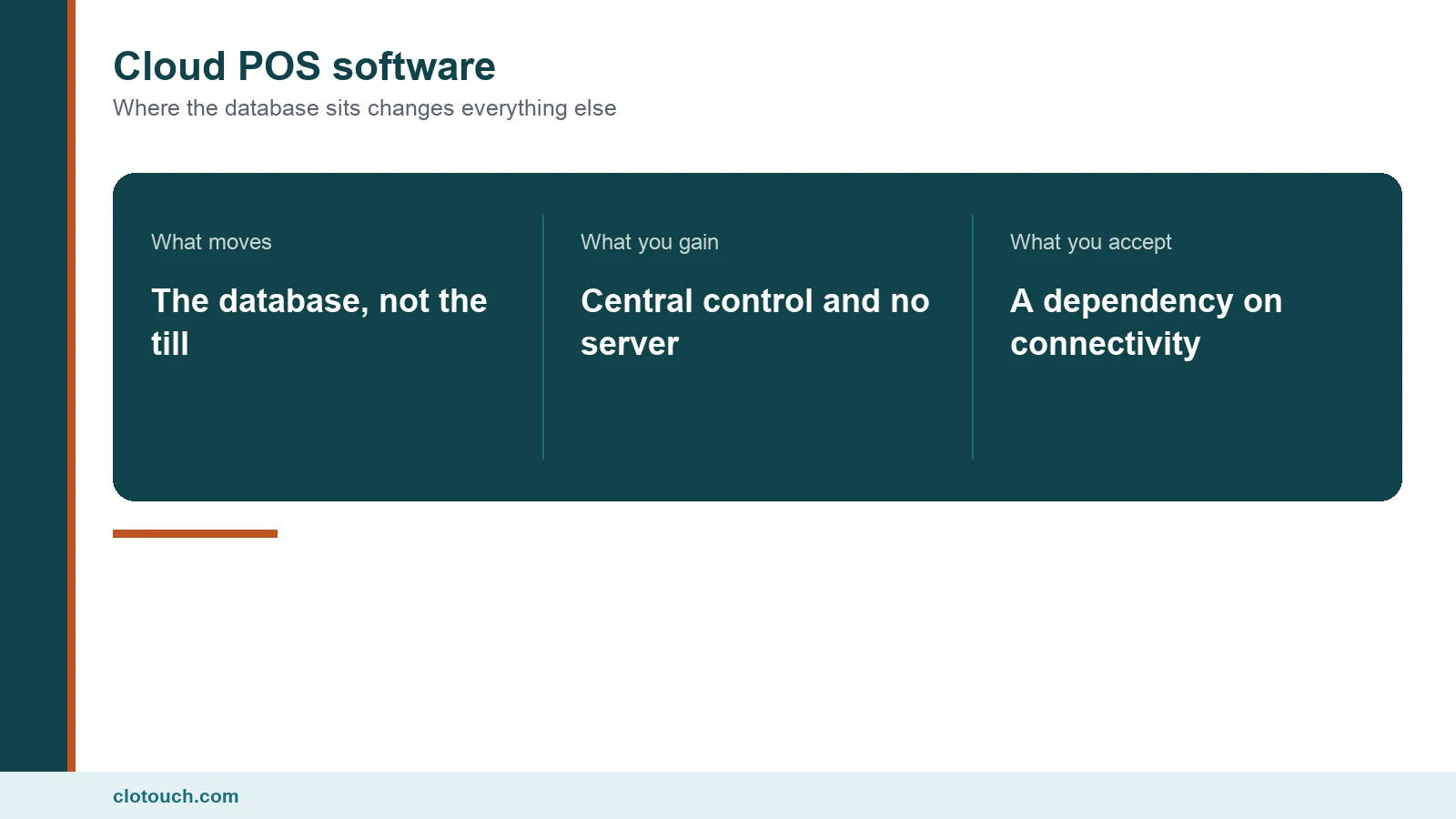
Cloud POS software is often explained as billing software that runs in a browser. That description misses what actually changes. The browser is incidental; the decision is that your sales database now lives on a server you do not own and cannot touch. For what a till has to do in the first place, our point of sale overview is the starting point.
This guide explains the architecture in plain terms, which businesses it genuinely suits, and the six limits worth knowing before migrating.
On this page
What cloud POS software actually means
In an on-premise system, the database sits on a machine in your back room. Every till on the shop network reads and writes to it. If the internet fails, nothing changes, because nothing left the building.
In a cloud system the database sits in a data centre. The till holds a local copy of what it needs, writes sales locally first, and pushes them up.
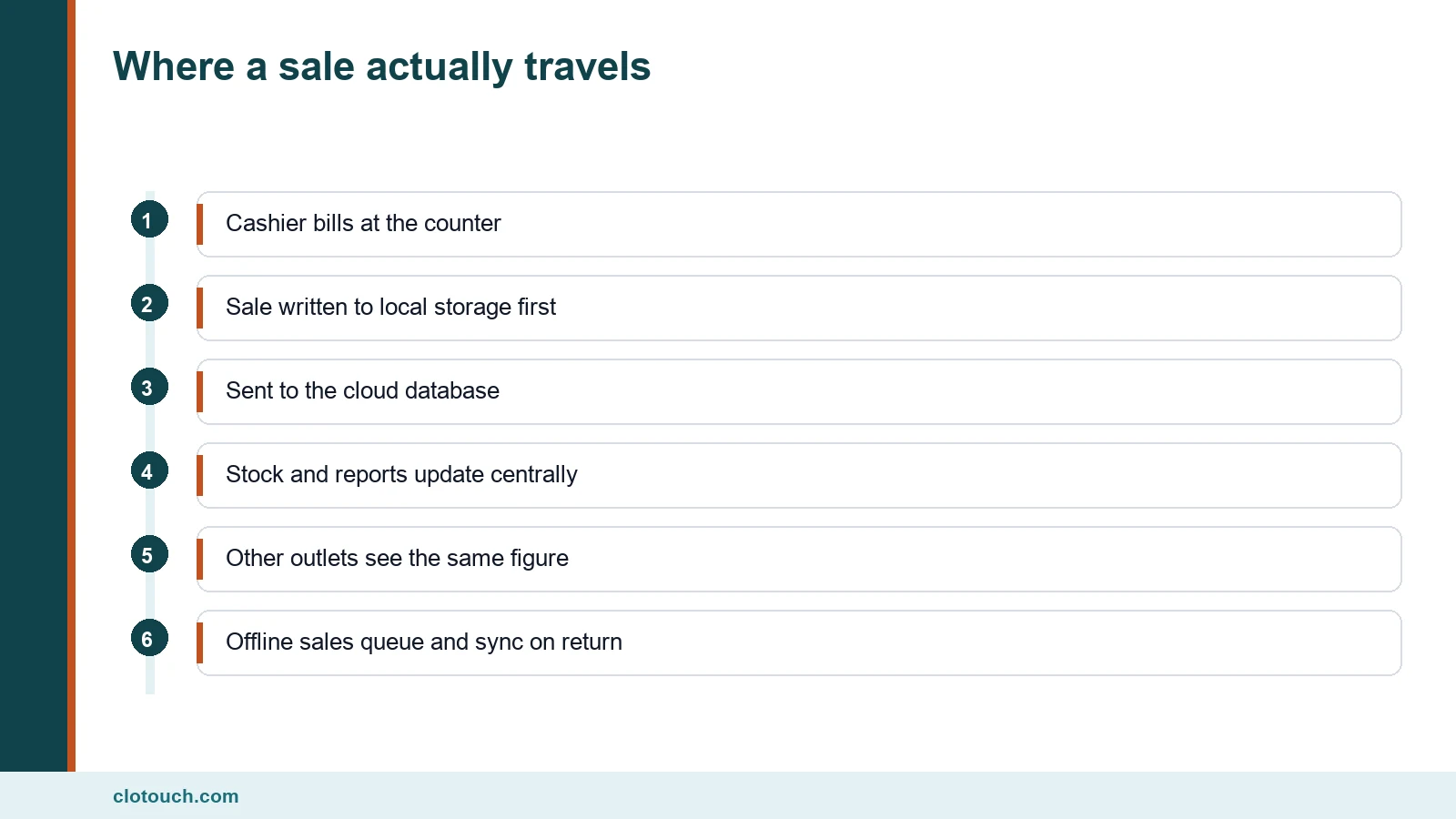
That ordering matters. A well-built product writes locally and syncs afterwards, which is why it can keep billing offline. A poorly built one treats the server as the only source of truth and stops when it cannot reach it.
The three things that genuinely improve
Central masters. One item list, one price list, one tax configuration, applied everywhere at once. Outlets maintaining their own masters drift apart within weeks, and every group report built on top becomes unreliable.
Reporting without consolidation. Group figures are simply present rather than assembled from exports. For a business with three shops that is the difference between a weekly number and a monthly guess.
No server to look after. No machine to patch, no backup nobody verified, no hardware failing on a holiday. For a business without technical staff that is worth real money.
The six limits worth knowing
None of these are reasons to avoid cloud POS software. They are the things to settle before signing.
- Offline behaviour varies enormously between products; some bill through an outage, some stop.
- Your data sits under someone else’s terms, so export has to be confirmed in writing.
- Subscription cost accrues indefinitely, while a licence does not.
- Peripheral support can be narrower, particularly for weighing scales.
- A vendor outage is your outage, and you cannot escalate it internally.
- Leaving is harder than copying a database off your own machine.
The first and the second are the two that actually bite. We set out how to test them in our cloud POS questions guide.
Who cloud POS software suits
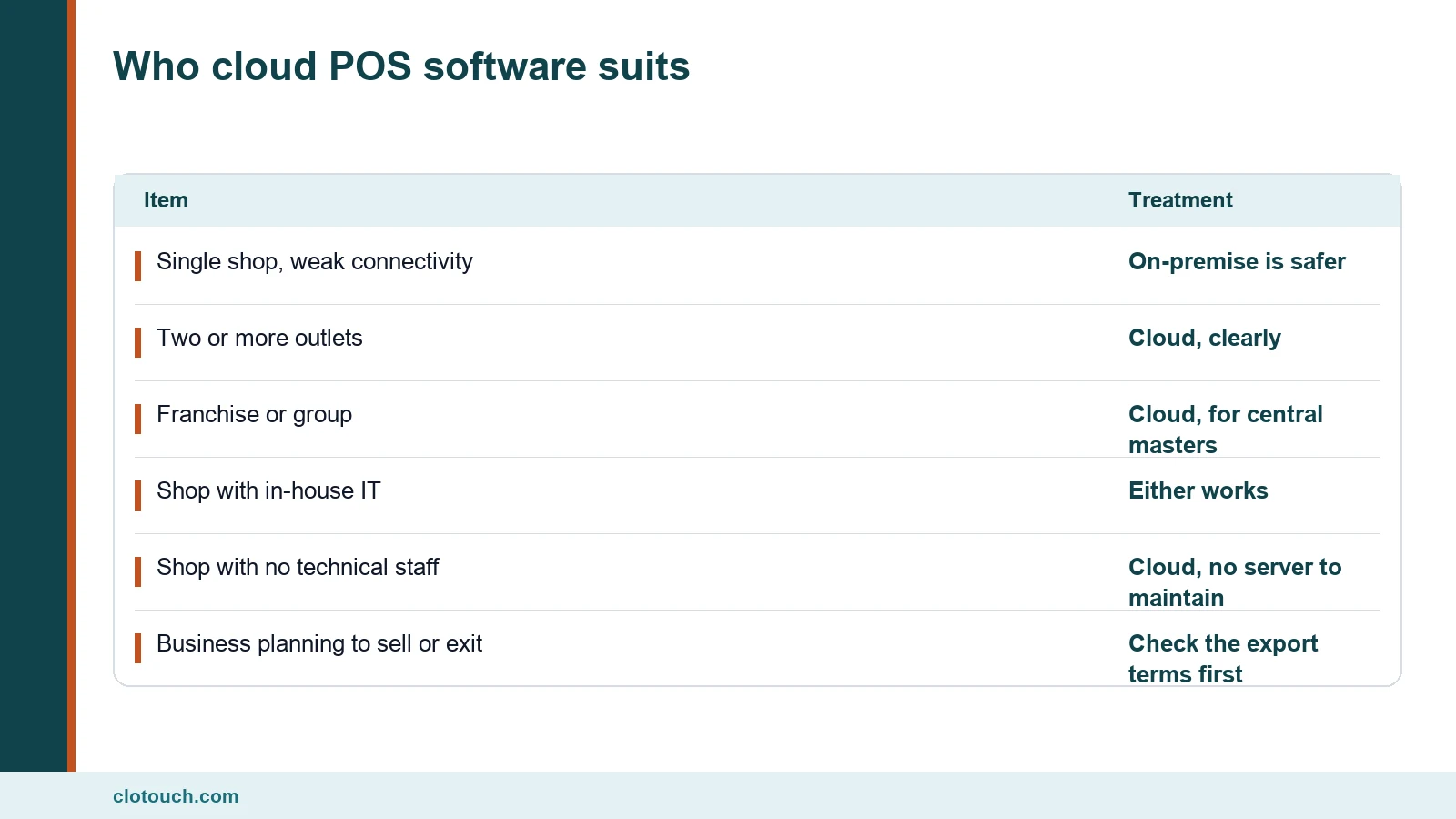
The honest dividing line is outlet count, not business size.
One shop with poor connectivity and no expansion plan is usually better served on-premise. Nobody else’s outage can stop the counter, and over five years a licence often costs less than a subscription.
Two or more outlets flips the answer immediately, because central masters and group reporting are exactly what independent servers cannot give you. A multi-store configuration is the usual destination.
What enterprises ask that small shops do not
Larger deployments raise three questions a single shop never does.
Role-based access across outlets. A regional manager should see their outlets and not the whole group. Ask whether permissions are per outlet or all-or-nothing.
An API. Groups connect POS data to accounting, payroll and sometimes a warehouse system. Ask what is documented, what is rate limited, and what happens when a push fails.
Audit trails. Who changed a price, who voided a bill, who altered a tax rate, with timestamps that survive. At scale this is a control requirement rather than a nice report.
Speed at the counter
Owners assume a cloud till must be slower because the data is far away. At the counter the difference is usually invisible, provided the software caches its item list on the device.
What does cause visible lag is a design that asks the server about every item scanned. That shows as a pause between the beep and the line appearing, and it compounds across a large basket.
Test it the way you would test any till: a realistic basket of forty items, at the hour your shop is busiest. Correct caching feels identical to a local system; its absence is obvious within ten scans.
Backups, and who is actually responsible
One of the honest advantages of cloud POS software is that backups stop being a job somebody forgets. One of the honest risks is that you cannot verify them yourself.
Ask two questions. How often is data backed up, and what is the documented recovery path if the vendor loses it? A supplier who answers in specifics has thought about it; one who says it is handled has not.
Then ask whether you can take your own copy on a schedule. A periodic export you control is the only backup you can actually test.
Hardware and the peripheral question
Cloud POS software is usually sold as hardware-agnostic. Treat that claim as something to test rather than accept.
| Peripheral | Usual cloud support | What to verify |
|---|---|---|
| Barcode scanner | Good | Behaves as keyboard input |
| Thermal printer | Good over local network | That printing survives an internet outage |
| Weighing scale | Variable | That your exact scale is read, today |
| Cash drawer | Good | That it opens from the printer |
| Card or UPI device | Mixed | Whether settlement status reaches the bill |
| Label printer | Variable | That MRP and weight labels print correctly |
The scale row is the one that fails most often, and it is the one that matters most in grocery. Take your own scale to the demo.
Compliance stays yours
Moving the database does not move the obligation. The invoice still needs your GSTIN, correct per-line rates, HSN codes where applicable and an unbroken number series.
Cloud helps with numbering, because a shared database can allocate a series per outlet so two counters never collide. That is harder to guarantee across independent local servers.
Above Rs 5 crore aggregate turnover in any year since 2017-18, B2B invoices also need IRN registration, as covered in our e-invoicing limit guide.
How to decide in one afternoon
- Count your outlets today and the number you expect in two years.
- If that number is one, price on-premise over five years before anything else.
- If it is more than one, shortlist cloud and test offline billing by pulling the connection.
- Confirm your scale, printer and scanner work on the demo hardware.
- Get the export terms in writing, including format and cost.
- Price the subscription at the outlet and terminal count you expect.
Steps one and two settle most of the decision. Steps three and five are the ones people skip and later regret.
Frequently asked questions
What is cloud POS software?
Billing software whose database sits in a data centre rather than on a machine in your shop. The till keeps a local copy, writes sales locally first and pushes them up, which is why a well-built one can keep billing offline.
Is cloud POS better than on-premise?
It depends on outlet count rather than business size. One shop with weak connectivity is usually better on-premise. Two or more outlets flips the answer, because central item masters and group reporting are what independent servers cannot provide.
What are the main limits of cloud POS software?
Offline behaviour varies by product. Your data sits under the vendor’s terms. Subscription cost accrues indefinitely. Peripheral support can be narrower. A vendor outage is your outage. And leaving is harder than copying your own database.
Does cloud POS software work with my existing hardware?
Usually for scanners, printers and cash drawers. Weighing scales are the common failure, because reading a scale needs explicit support. Take your own scale to the demo rather than accepting a hardware-agnostic claim.
What should an enterprise ask that a small shop does not?
Whether permissions are per outlet or all-or-nothing. What the API documents and rate limits. And whether audit trails record who changed a price, voided a bill or altered a tax rate, with timestamps that survive.
Sources, method and author
Method. The architecture description and business-type guidance reflect cloud and on-premise POS deployments Clonet Technologies runs for Indian retail and food businesses. GST invoicing and numbering points were checked against the GST portal in September 2026. No vendor pricing is quoted, because Indian POS pricing is frequently quote-based.
- Goods and Services Tax portal — invoice content and numbering requirements
- NIC e-Invoice portal — IRN registration above the turnover threshold
- Ministry of Electronics and Information Technology — India’s data protection and IT policy framework
- Legal Metrology — weighing instrument requirements at the counter
Disclosure. Clonet Technologies Pvt Ltd builds and sells Clotouch POS in both cloud and on-premise forms, so we have an interest in this comparison. The tests above apply to our product as much as to any competitor.
Author. Aman Raj. Rewritten 29 September 2026 for Clonet Technologies Pvt Ltd, Bengaluru.


